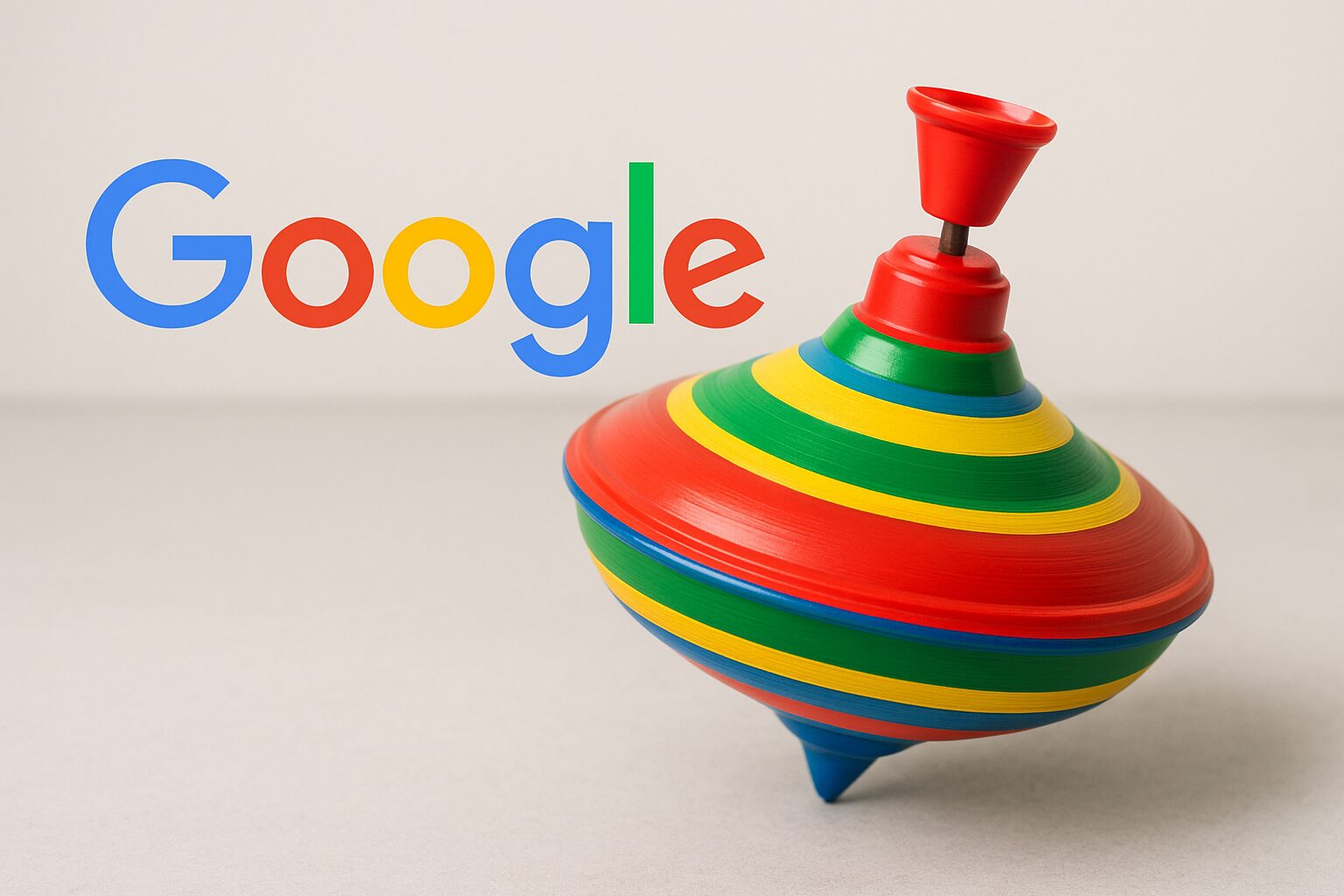
The Google spinner, an interactive Easter Egg activated via the words “toupie” or “spinner,” offers two modes: a relaxing spinner and a numbered wheel (2 to 20 segments) for choices, games, or educational activities. Evoking the 2017 fidget spinner trend, it fits into a playful UX approach, opposite to mobile games like BEYBLADE. Easy to access, it illustrates how Google turns a simple idea into a multifunctional tool.
Exhausted by stress or stuck in a decision? The Google spinner, an interactive Easter Egg, activates in a few clicks for a moment of relaxation or a random choice. Accessible without download on PC or smartphone, it mixes a digital fidget spinner and decision wheel. Behind its sleek design, two modes (spinner or wheel with 2 to 20 segments) offer varied uses: stress management, concentration, educational games… A hint towards other Google Easter Eggs, turning the search page into a playful and unexpected playground.
- What is the Google spinner and how to play it?
- At the origins of the spinner: one of Google’s best-kept secrets
- The surprising and practical uses of the Google spinner
- Beyond the spinner: explore other hidden treasures of Google
Somaire
What is the Google spinner and how to play it?
The Google spinner: much more than a simple gadget
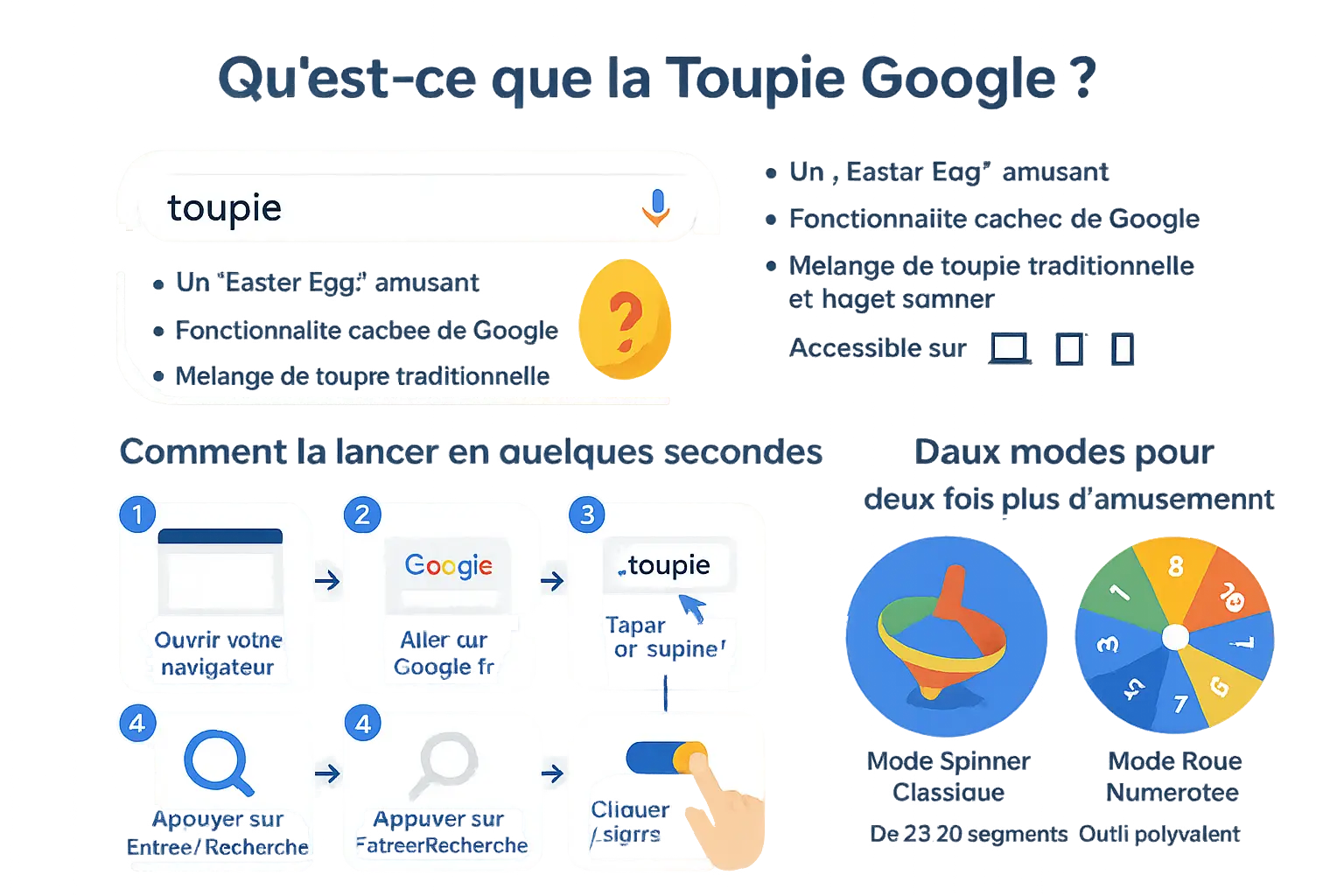
You might not have known that Google hides an interactive game inspired both by traditional spinning tops and fidget spinners. This <> (hidden feature) activates directly from the search bar, requiring no download. Available on computer, tablet, or smartphone, this gadget combines simplicity and originality to offer a playful break accessible to all.
Behind its minimalist design lies a universal entertainment: spin a virtual top in a few clicks, or turn it into a customizable wheel. A creation that blends nostalgia and modernity, perfect for relaxing or quickly deciding between several options.
How to launch the spinner in a few seconds?
Curious to discover this hidden game? Follow these steps to activate it immediately:
- Open your favorite browser (Chrome, Firefox, Safari, etc.) on your device.
- Go to Google’s homepage.
- Type “toupie” or “spinner” in the search bar.
- Press Enter or click the search button.
- An interactive spinner appears at the top of the results. Click “SPIN” or spin it with your mouse/finger.
In less than 10 seconds, you get a captivating visual distraction. No need for installation, account, or prior setup. An example of the subtle humor of Google’s teams?
Two modes for twice the fun: spinner and numbered wheel
Once launched, the spinner reveals its two modes. The <> mode takes up the classic concept: a spinner that spins indefinitely, ideal for focusing or relaxing. But the real interest lies in the <> mode.
Activate it via the switch at the top right of the widget, then customize your wheel. Choose between 2 and 20 segments to create interactive games of chance: deciding a menu, assigning tasks, or even teaching children the basics of probability. A versatile tool that turns a simple game into a daily assistant.
At the origins of the spinning top: one of Google’s best-kept secrets
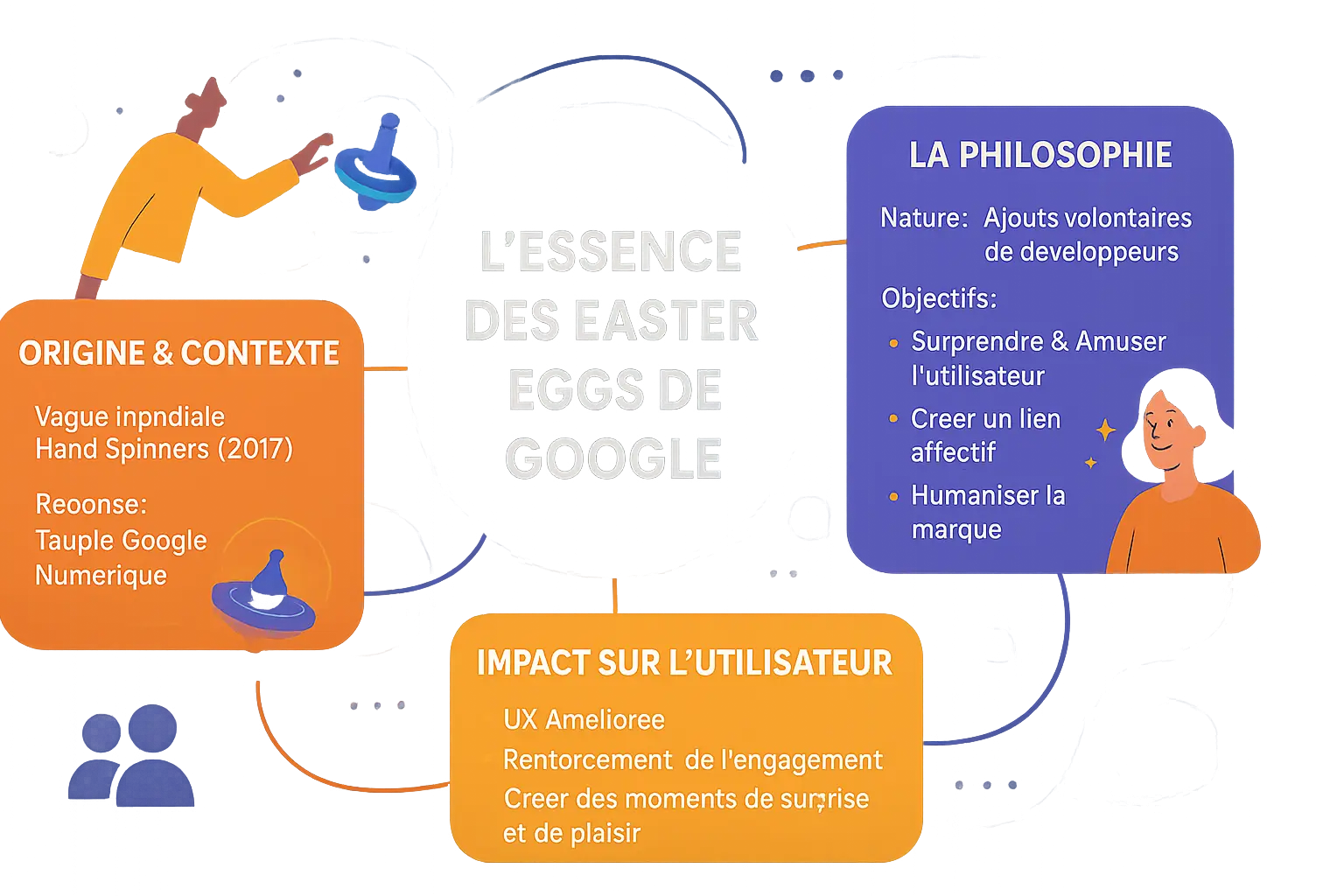
In 2017, Google surprised by integrating a hidden game into its search engine. It was not a bug, but an easter egg designed to celebrate its 19th anniversary. Inspired by traditional spinning tops and the fidget spinner trend, this digital nod embodies the company’s humor and creativity.
A nod to the 2017 hand spinner trend
The wave of fidget spinners, those manual stress-relief toys, dominated 2016-2017. Google seized the opportunity to offer a dematerialized version: a virtual spinning top accessible without download. This choice responded to a global trend while enhancing the user experience (UX) through a playful and immediate interface.
Unlike physical toys, the Google spinning top activates with a simple click on the search results page. Available on desktop or mobile, it embodies a distraction without technical barriers, combining nostalgia and modernity.
The philosophy of “Easter Eggs”: why does Google hide games?
Google’s easter eggs are not mistakes but touches of ingenuity conceived by developers. Their goal? To humanize the brand while surprising users. These hidden elements strengthen engagement by turning a mundane search into a moment of relaxation.
Google does not just provide information; the company seeks to create moments of surprise and pleasure to strengthen user engagement.
This approach reflects a bold UX strategy: mixing functionality and emotion. In 2017, the spinning top joined a long list of easter eggs, such as the famous “do a barrel roll”, proving that Google masters the art of playful interaction.
The surprising and practical uses of the Google spinner
A playful tool for relaxation and concentration
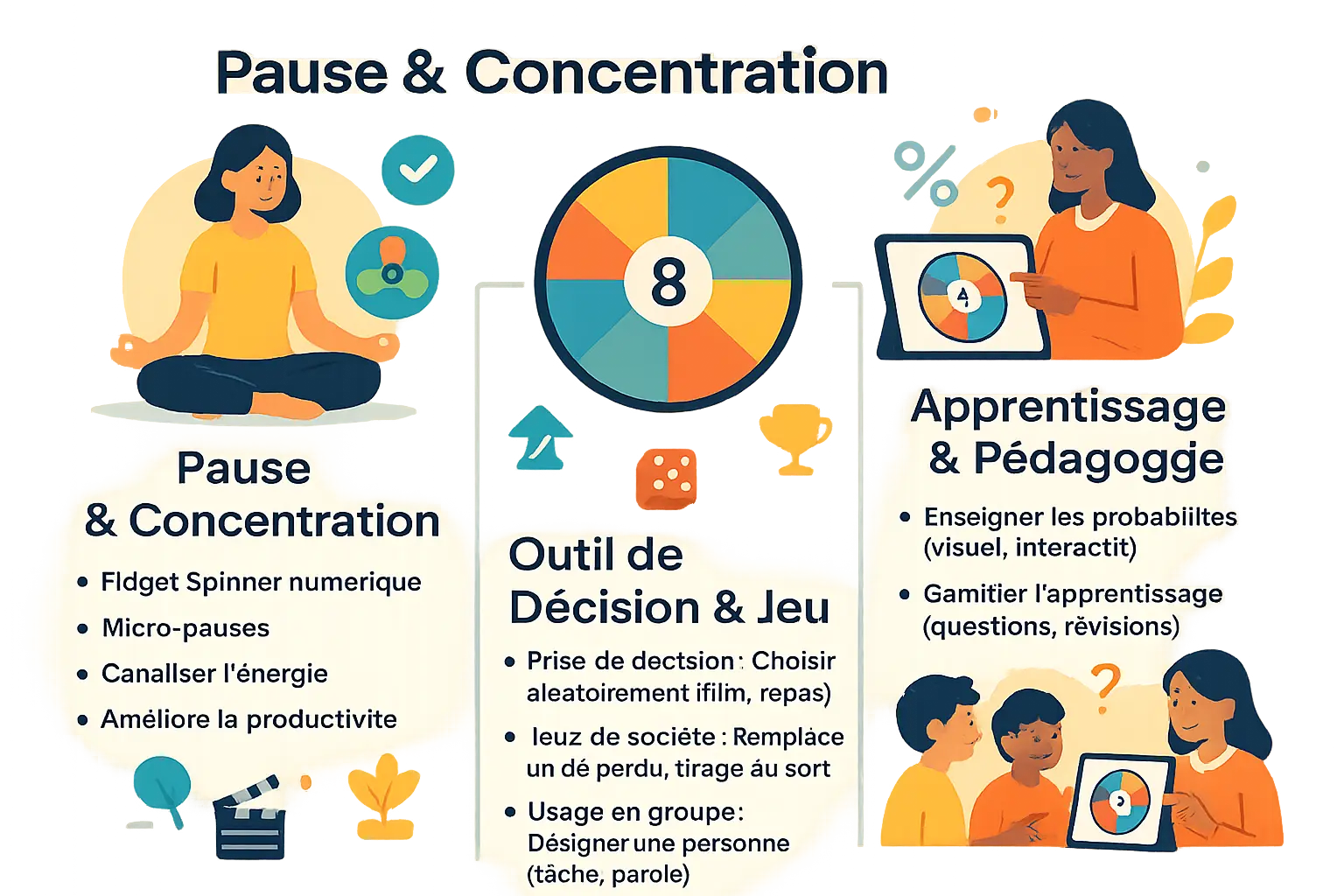
The Google spinner offers a “Spinner” mode inspired by fidget spinners, allowing quick breaks to refocus. This function is based on the concept of “fidgeting,” which involves making small repetitive movements to soothe the mind. Unlike physical fidget spinners, this digital version adapts to all devices and remains accessible without relying on an external object.
A short playful break can be enough to reset our attention and improve our productivity, turning a simple gadget into a true everyday ally.
Unlike traditional fidget spinners, this eco-designed version reduces clutter. It is aimed at users looking to integrate quick breaks without leaving their screen, avoiding the purchase of an additional toy.
The numbered wheel: your ally for decisions and games
The “Number” mode transforms the spinner into a random choice tool, useful in various contexts:
- Decision making: Resolve quick dilemmas like choosing a movie or a restaurant.
- Board games: Replace a missing die during an impromptu game.
- Group use: Designate a volunteer for a task without bias.
- Contests and draws: Organize a fair draw among participants.
This feature favors simplicity, avoiding the complications of third-party apps for occasional needs. For example, a teacher could use it to assign presentation topics randomly, or a team leader to distribute tasks fairly.
A simple and effective educational resource
The numbered wheel integrated into the Google spinner finds its place in education. It visually illustrates probability concepts, such as the chances of getting a specific number on a wheel from 1 to 10. Teachers use it to gamify learning by randomly selecting questions or organizing fair turns. For a math class, a teacher might ask students to predict repeated results, then verify by successive spins, thus materializing the law of large numbers interactively.
Beyond the spinner: explore other hidden Google treasures
Other Google Easter Eggs you absolutely must discover
| Name of the Easter Egg | Keyword to search on Google | Description |
|---|---|---|
| Pac-Man | pac-man | Play the famous arcade game directly in the search results. |
| Do a barrel roll | do a barrel roll | Watch the results page perform a full rotation on itself. |
| Zerg rush | zerg rush | Defend your search results against an attack of Google “O”s that nibble the page. |
| Askew | askew | Display the search results page slightly tilted. |
| Flip a coin | flip a coin | Flip a virtual coin for an instant heads or tails draw. |
| Roll a die | roll a die | Roll one or more virtual multi-sided dice. |
| Solitaire | solitaire | Play the famous classic card game without leaving Google. |
You didn’t know that Google was full of surprises? Moreover, these Easter Eggs are an invitation to explore the playful facets of the search engine. Each keyword triggers a unique interaction, blending nostalgia and innovation.
Google spinner, Beyblade, Google Sheets: don’t fall into the confusion trap
It turns out that the Google spinner is a simple and immediate game, unlike applications like BEYBLADE BURST or BEYBLADE X. The latter offer complex battles, customizations, and an online multiplayer mode, but require a download from the Google Play Store.
For those who want to go further, BEYBLADE BURST allows you to scan physical tops via the device’s camera or use Bluetooth control for strategic attacks. However, the Google top spins with a single action: a click or a tap to make it spin.
Regarding queries like google sheets top, there is no built-in function named top. However, tools like RANDBETWEEN in Google Sheets or Slides Randomizer for Google Slides allow you to generate random choices. A solution to spice up your presentations or spreadsheets!
Now, you know how to distinguish Google’s hidden games. Why not continue the exploration? The search engine still holds many secrets ready to be unveiled…
The Google spinner, much more than just a simple game, combines entertainment and practical utility through its two modes. Both a reminiscence of cultural trends and an educational tool, it embodies Google’s playful spirit. Unlike BEYBLADE games or missing features in Google Sheets, it is accessible without any download. Why not discover it right now?
FAQ
How do you spin the Google spinner?
To spin the Google spinner, start by opening your web browser on Google’s homepage. Simply type the keyword “toupie” or “spinner” in the search bar, then press “Enter”. The interactive spinner will appear at the top of the results. Click the “SPIN” button or drag the spinner with your mouse (on a computer) or finger (on a smartphone) to launch it. The smooth animation and slowing visual effects make the experience captivating.
What are Google’s hidden games?
Google offers several hidden games, called Easter Eggs, accessible directly via specific queries. For example, type “pac-man” to play the famous arcade game, “do a barrel roll” to see the page spin 360°, or “zerg rush” for a mini-game where Google’s “O”s attack the results. Others include “flip a coin” (heads or tails), “solitaire”, or “askew” for a tilted page. These features showcase Google’s humor and creativity.
How do you play the virtual spinner?
The Google spinner offers two main modes. The fidget spinner mode lets you spin the spinner for a moment of relaxation, with soothing visual effects. The numbered wheel mode (accessible via a switch next to the spinner) allows you to choose between 2 and 20 segments for random decision games. To use it, click “SPIN” or use a touch gesture. It is perfect for educational games or quick choices, like deciding what to eat or which movie to watch.
How do you play Google’s secret game?
Google’s secret game, the virtual spinner, is an Easter Egg designed for entertainment and decision-making. Once launched via the “toupie” search, the fidget spinner mode offers a hypnotic animation. The numbered wheel mode, customizable up to 20 segments, is ideal for group activities (games, raffles) or educational purposes (teaching probabilities). No registration or download is required, making it an instant option for a playful break.
How do you spin the spinner on Google?
To spin the spinner, follow these simple steps: go to Google, type “toupie” or “spinner” in the search bar, then click “SPIN” or perform a touch swipe/mouse rotation. On a smartphone, the movement is intuitive thanks to the touchscreen. The spinner gradually slows down, mimicking the behavior of a physical spinner. This feature, accessible without any setup, is perfect for quick and relaxing breaks.
How do you spin Google?
If you are referring to the Google spinner, just type “toupie” or “spinner” on Google to activate the mini-game. For a different experience, try “do a barrel roll”, which makes the results page do a full barrel roll. These hidden features, drawn from cultural references, illustrate Google’s humor. Note that “spinning Google” in a literal sense is impossible, but these Easter Eggs offer a playful interpretation.
How do you have fun with Google?
Google is full of fun features: use the virtual spinner for random decisions, explore games like “zerg rush” (defend the results from “O” attacks) or “solitaire” for classic card games. Easter Eggs like “askew” (tilted page) or “flip a coin” add a touch of originality. These tools, accessible in a few clicks, transform Google into an interactive and playful platform.
What is the highest-rated game on Google Play?
On Google Play, the games BEYBLADE BURST and BEYBLADE X are among the popular titles related to spinners. They allow customizing spinners, challenging online players, and using Bluetooth controls to alter trajectory. However, reviews are mixed, with some users complaining about bugs or repetitive gameplay. Note that these apps, although related to spinners, are distinct from Google’s Easter Eggs and require a download.
How do you play the hot air balloon game?
The hot air balloon game is not directly related to Google, but other mini-games integrated into its services exist. For example, type “dino” to access the dinosaur game during internet outages, or explore “Google Sky” for a space adventure. For hot air balloon games, users usually steer a balloon avoiding obstacles, but this feature is not a Google Easter Egg. Visual challenge enthusiasts can also try “Google Gravity”, which simulates gravity on the page.
