
| Key points | Details to remember |
|---|---|
| 🖥️ Interface | Intuitive for Kozikaza, more technical for Sweet Home 3D |
| 📚 Library | Varied in Sweet Home 3D, real immersion on Kozikaza |
| ⚙️ Features | Real-time 3D rendering under Kozikaza, IFC export under Sweet Home 3D |
| 💸 Price | Free with paid options for Kozikaza, open source for Sweet Home 3D |
| 🔌 Compatibility | Web and mobile for Kozikaza, Windows/macOS/Linux for Sweet Home 3D |
When you start a renovation, the idea of visualizing your future interior before picking up the drill makes all the difference. Between the online solution Kozikaza, which promises quick floor planning, and the open-source software Sweet Home 3D, more advanced but free, the choice is not always obvious. In this article, we dissect their strengths and weaknesses, highlight ergonomics, features, and even pricing, to guide you towards the tool best suited to your project.
Somaire
First impressions: ease of use and accessibility
The first contact with interior modeling software often influences the rest of the project. Here, the two competitors play on different fields.
Kozikaza relies on a streamlined, almost playful interface. The icons are large, you drag and drop furniture as if assembling paper blocks. No time wasted trying to understand hidden menus. This is a real asset for busy DIYers or those with no 3D experience.
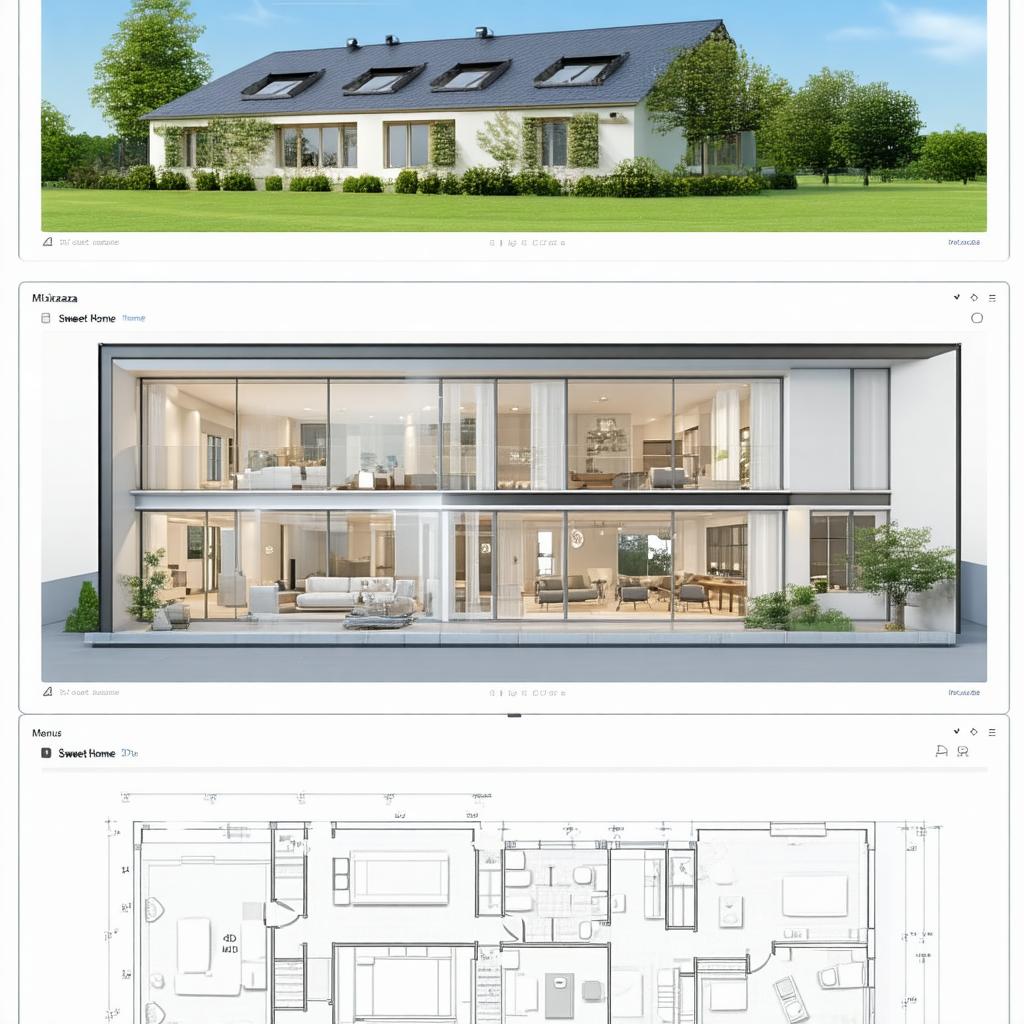
On the other hand, Sweet Home 3D adopts a more classic, even somewhat dated look, with its side panels and a 3D space occupying half the screen. The startup can seem more technical: you manage the scale, precisely set measurements, configure the grid. As a result, purists appreciate this rigor, while novices can quickly feel overwhelmed.
Focus on Key Features
Object Libraries and Customization
In all renovation projects, the catalog plays a central role. Kozikaza offers a home object library, regularly enriched by its community. Cabinets, lighting fixtures, and even rugs can be downloaded with one click, and sometimes 3D models can be imported from third-party platforms. The downside? Some files lack finesse, especially in textures.
Thanks to its open-source nature, Sweet Home 3D connects to a multitude of libraries:
- Native library with hundreds of furniture and decorations
- Official extensions to import objects in OBJ or DAE format
- Ability to create your own textures and play with shaders
The purists will see a tailor-made workshop, while those in a hurry will regret sometimes having to go back and forth between several sites to fill their decor.
3D Rendering and Realism
Kozikaza’s strength lies in its real-time photorealistic rendering. You can move the slider, adjust the light intensity, and instantly see the effect on the tiles or fresh paint. You quickly get an overall view faithful to the future room after renovation.
Sweet Home 3D, on the other hand, offers a more “raw” rendering. You need to launch a rendering calculation to generate the final image, often long depending on the machine configuration. In compensation, you adjust each material parameter: glossiness, transparency, UV texture… realism can then reach a professional level, but at the cost of a more significant time investment.
Performance, Compatibility, and Deployment
For a renovation project, it is often tempting to open the tool only when the need arises. Kozikaza avoids any installation: you open a browser, connect, and the magic happens. On tablet or mobile, a lightweight version even allows you to make sketches on site, tablet in hand.
Sweet Home 3D requires installing a Java executable. Given its requirements, it runs on Windows, macOS, and Linux, with performance strongly dependent on the processor and graphics card. Large projects can saturate memory, and sometimes you have to turn your back on the site to restart the computer in the office.
Use Cases: From Small DIY to Professional Projects
In reality, your usage almost always dictates the choice of software.
For a Quick Rearrangement
You want to reposition a wall, test several living room layouts, change floor covering? Kozikaza perfectly matches these needs. Its “click and play” side saves you time from the very first sketches. Iterations are smooth, and inviting a friend to view your project takes only a second.
For a Large-Scale Project
Imagine a heavy renovation site: repositioning partitions, integrating electrical networks, precise measurement of every centimeter. Sweet Home 3D then reveals its assets: export in IFC format to share the plan with an architect, layer management to isolate plumbing or heating network, and strict dimensioning to avoid unpleasant surprises on site.
Pricing and Economic Models
Kozikaza offers a free version for basic use, but HD renderings and some premium objects require a monthly subscription (starting from a few euros). It’s ideal for one or two occasional projects.
Sweet Home 3D is free and open source. You download, install, and use it without any limits. Paid extensions mainly consist of plugins developed by the community, priced individually. A transparent choice that appeals to those who count every euro.
Verdict: which one to choose according to your profile?
If your goal is simply to quickly obtain an attractive and easy-to-share visual, Kozikaza ticks all the boxes. It has that little “instant demonstration” side that hits the mark, especially during client meetings or with family.
On the other hand, if you are working on a long-term project, where precision and advanced customization are essential, Sweet Home 3D offers a wider range of tools. It requires a bit of patience but unleashes the full power of open-source modeling.
FAQ
1. Does Kozikaza work offline?
No, it relies on an internet connection to access the library and save your projects on the cloud.
2. Can you import an existing plan into Sweet Home 3D?
Absolutely, you can load an SVG or JPG file as a background to precisely align each wall.
3. What is the best 3D rendering for high-quality photomontages?
For ultra-realistic images, real-time Kozikaza will be faster, but Sweet Home 3D, with its manual settings, offers finer control over lighting and materials.
