
Somaire
1) Introduction: why a crypto-native smartphone in 2025?
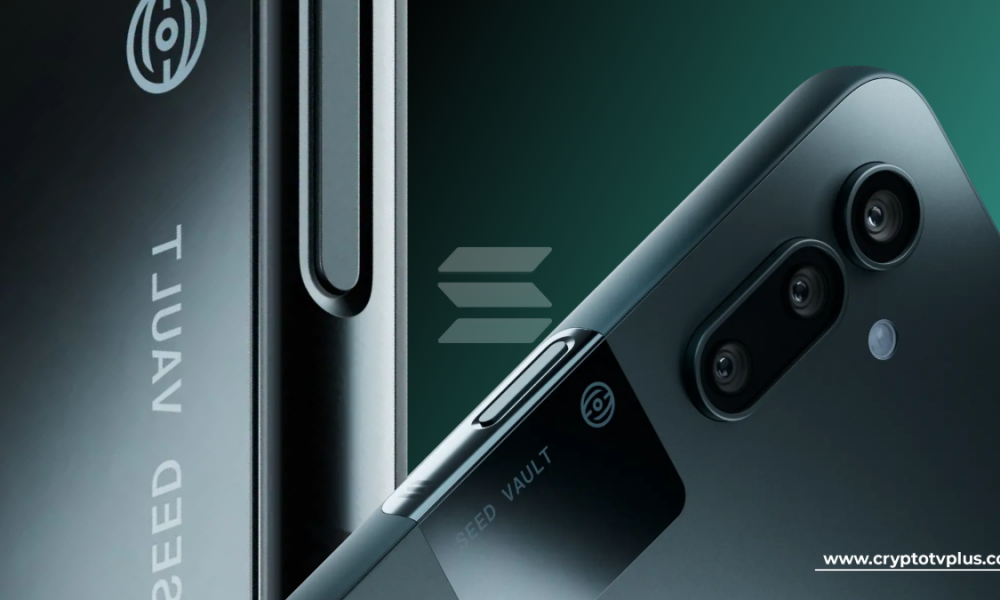
The Solana Seeker is not a “phone like the others.” It has a specific goal: to make crypto “native” on mobile, that is to say useful daily, with minimal friction. Concretely, this means that actions which until now required browser extensions, complicated signatures, or stressful manipulations (copying a seed, triple-checking an address, disabling security features) become simple, quick, and biometrically secured gestures. This promise is only credible if the integration is deep: hardware, software, and ecosystem. This is precisely Seeker’s approach: a hardware vault for the seed, a unified identity to navigate from one dApp to another, and a store that gathers key uses (payments, DeFi, NFT, gaming, AI/DePIN) in an interface designed for mobile-first.
In 2025, the question is no longer “can we do crypto on a smartphone?”, but how to do it with an acceptable level of security, without sacrificing usability. Reviews and feedback show that Seeker offers an interesting compromise: it does not claim to beat flagships on photography or SoC, but it emphasizes the on-chain experience. Who is it for? Users who sign transactions several times a week, mobile DeFi enthusiasts, creators who publish or sell NFTs, gamers who want smooth on-chain interactions, power users looking for a Web3 “daily driver”.
2) Context: from Saga to Seeker
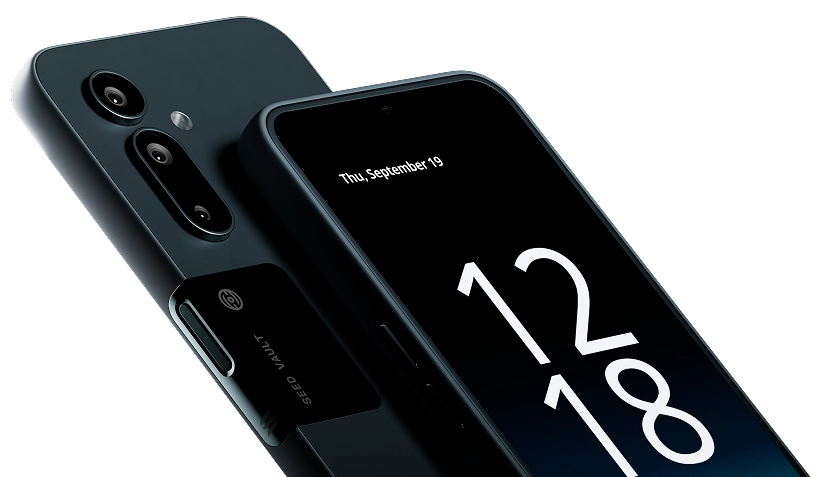
The Saga, Solana Mobile’s first smartphone, was as much noted for its boldness as criticized for its compromises: format, weight, battery life, initial price, and a still young ecosystem. This iteration nevertheless proved that a crypto-native phone was viable. Solana Mobile’s response is Seeker: a more compact, lighter device, with better battery life, sold at a price perceived as more reasonable, and delivered with a strengthened ecosystem (more dApps, a unified identity, clearer incentives). Specialized media emphasize that the team “listened to the criticism” and corrected weaknesses inherited from the Saga.
Objective
Move from feasibility demonstration (Saga) to daily use (Seeker).
Course
Smooth crypto-native experience: Seed Vault + Seeker ID + dApp Store 2.0.
Promise
Less friction, more autonomy, more manageable size, and incentives.
3) Detailed technical sheet
| SoC | MediaTek Dimensity 7300 (octa-core) |
|---|---|
| Memory | 8 GB |
| Storage | 128 GB (UFS 3.1) |
| Display | AMOLED 6.36″, 2670×1200, ~460 ppi, 120 Hz |
| Battery | 4500 mAh, wired + wireless charging |
| Networks | 5G, Wi-Fi 6, Bluetooth 5.4, 1 nano-SIM + 1 eSIM |
| Camera | 108 MP (OIS) + 13 MP (ultra-wide) + 50 MP (telephoto), 32 MP front |
| Weight | ~192 g |
| System | Android 15 with Solana Mobile integrations |
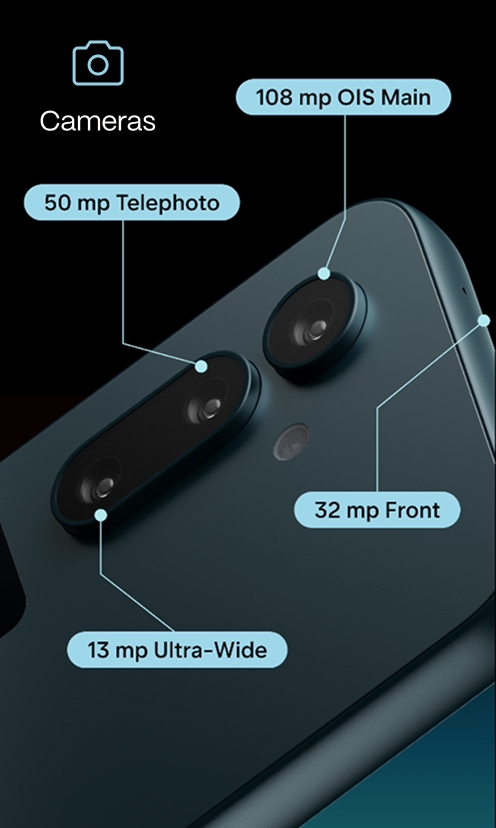
These specifications position the Seeker as a pragmatic mid/high-end device: it is not the fastest SoC on the market, but it is sufficient for common Web3 and multimedia uses. The high-density and high-refresh-rate screen ensures smoothness and readability; the battery targets a full day of mixed use. On the photo side, the 108 MP module offers flexibility for cropping, but the product’s focus remains the crypto experience rather than cutting-edge photography.
4) Key Features: Seed Vault, Seeker ID, dApp Store 2.0, TEEPIN
Seed Vault
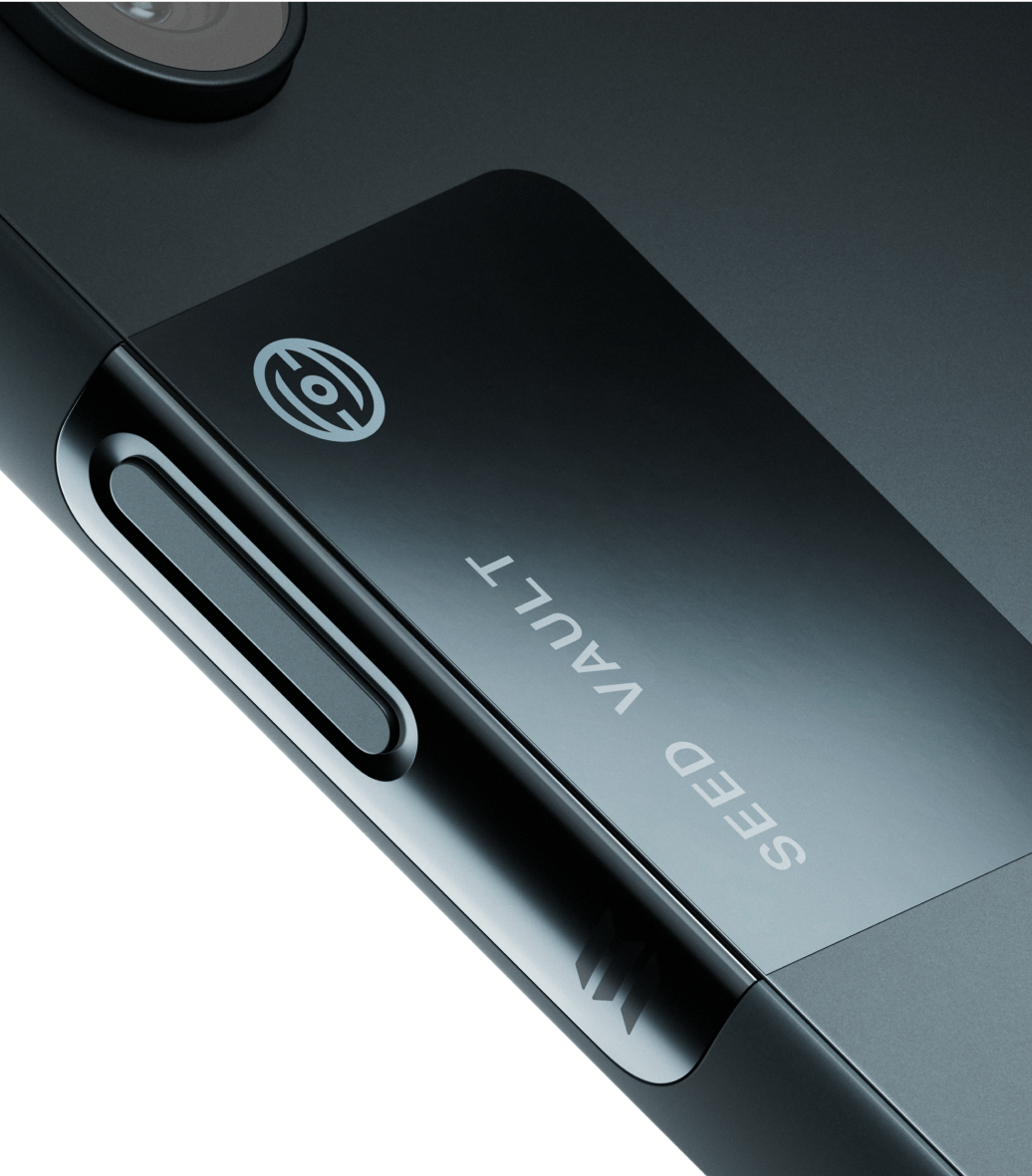
The Seed Vault is a hardware vault dedicated to private keys. Its purpose: to isolate the seed from the Android system while allowing smooth biometric signatures. Instead of entering a long password or exposing keys to a traditional app, the user validates with a fingerprint and the signature happens on the hardware side. Result: reduced risk of exfiltration and a UX close to modern mobile payment systems.
Seeker ID
Seeker ID unifies address, readable identifier (suffix .skr), and Genesis Token (soulbound). It is a passport for the ecosystem: simplified auth, proof of authenticity on the developer side, and reduction of sybil attacks by recognizing “high-value” accounts linked to legitimate devices. For users, no more copying and pasting unreadable addresses; for apps, it enables targeting experiences or perks linked to identity.
Solana dApp Store 2.0
The dApp Store 2.0 brings together payments, DeFi, NFT, gaming, AI/DePIN services, with a mobile-first design. The idea: to offer a direct access path to on-chain experiences, avoiding installation and configuration frictions. Exclusives and partner campaigns are regularly highlighted to stimulate adoption.
TEEPIN & ecosystem security
TEEPIN is the trust architecture that connects the device, apps, and the chain. It aims for attestation (proving state and integrity), distribution without gatekeepers, and fraud reduction (e.g., sybil). All this should allow developers to offer experiences conditioned on authenticity (device + identity) without insurmountable complexity for users.
5) Comparisons: Seeker vs Saga vs flagships
| Criterion | Seeker | Saga (2023) | Android/iOS Flagships 2025 |
|---|---|---|---|
| Format/weight | More compact/lighter (~192 g) | Bulkier | Variable; often 190–220 g |
| Screen | AMOLED 6.36″ 120 Hz | AMOLED ~6.7″ 120 Hz | LTPO 120–144 Hz depending on models |
| SoC | Dimensity 7300 | High-end Snapdragon 2022 | Snapdragon/Apple A-series 2024–25 (faster) |
| Battery life | Improved vs Saga | Average | Very good on the best models |
| Photo | 108 MP + UGA + telephoto | Solid but criticized | Very advanced (sensors/AI) |
| Crypto experience | Native: Seed Vault + Seeker ID + dApp Store 2.0 | First iteration | Third-party wallets (no deep integration) |
| dApps ecosystem | 100+ dApps, exclusives | More limited | Not Web3-native |
| Perceived price | More reasonable | Criticized at launch | Often high (€1,000+) |
Seeker Strengths
- Integrated crypto-native experience (less friction).
- More manageable format, better battery life vs Saga.
- Extended dApps ecosystem + exclusives.
- Incentives (Genesis Token, SKR) to boost usage.
Points of Caution
- SoC not “ultra-premium”: standard performance outside Web3.
- Decent photo but not at the level of the best camera phones.
- Solana-centered ecosystem (little interest if you don’t use Solana).
6) YouTube Tests & Reviews: What Comes Up Most
- Handling: better balance in hand than the Saga, well-crafted build, smooth 120 Hz screen.
- On-chain UX: Seed Vault + Seeker ID make signatures “natural” (biometrics, double-tap), with fewer errors and hesitations.
- Performance: sufficient for a Web3-oriented “daily”; power gamers and expert videographers will look more towards flagships.
- Ecosystem: growing dApp Store (100+), with incentive campaigns and sometimes exclusives.
- Reservations: expectations around airdrops to be handled with caution; and unfavorable photo comparisons against the best camera phones.
Tip: be sure to quickly activate your Seeker ID and mint the Genesis Token during initial setup to unlock related experiences.
7) Airdrops & Incentives: Genesis Token, SKR & “Seeker Season”
Upon activation, each device emits a Genesis Token (soulbound) linked to the device. This token serves as a ticket for certain experiences, perks, or early access. At the same time, Solana Mobile unveiled the SKR token, presented as the platform’s economic engine: it aims to reward users and builders, govern certain decisions, and facilitate value distribution within the Seeker ecosystem.
Videos and announcements regularly mention campaigns (e.g., “Seeker Season”) with temporary benefits or drops linked to partner dApps. Important: airdrops are not guaranteed, and their criteria vary (period, region, possible KYC, actual phone usage). Best practice: follow official channels (website, X/Twitter), read the terms, and prioritize authentic use rather than opportunistic hunting.
Reminder: never disclose your seed or recovery codes. The Seed Vault precisely eliminates this exposure: let it sign on the hardware side and use biometrics.
8) Purchase Guide: Who Does the Seeker Make Sense For?
- Profile 1: Regular Solana User: payments, DeFi, NFT, games — the value of Seeker is immediate (UX + security).
- Profile 2: Web3 Multi-App Power User: need to reduce signing friction, verify identity, and switch between dApps seamlessly.
- Profile 3: Developer/Entrepreneur: interest in TEEPIN, device + identity attestation, and a market of “authenticated” users via Seeker ID.
- Profile 4: Crypto Curious: if Solana usage is not regular, interest is lower; a classic flagship phone will be more relevant.
Verdict: Seeker is not intended to beat the best camera phones. Its domain is the on-chain experience. If that is your priority, it now checks many boxes.
9) Complete FAQ
Does the Seeker replace a hardware wallet?
It integrates a dedicated hardware vault (Seed Vault) to sign on the hardware side, which brings the usage close to an integrated hardware wallet. Depending on your needs, you can keep an external hardware wallet for the long term.
Is the dApp Store 2.0 closed?
It aims to group “mobile-first” Web3 apps. Developers are encouraged via SKR/TEEPIN, and the goal is to lower friction while filtering spam/sybil attacks.
What about Android updates?
Seeker is based on Android 15 and usual security updates, with Solana Mobile additions focused on crypto.
Can other blockchains be used?
The architecture is centered on Solana. Multi-chain wallets exist on Android, but Seeker’s deep integration targets the Solana ecosystem.
Is the camera on par with an iPhone Pro?
No: it is decent/good for its range, but the best camera phones still have the advantage in sensors/processing.
What to do to maximize perks?
Set up Seeker ID, mint the Genesis Token, regularly use listed dApps, and follow official announcements on campaigns.
Are airdrops automatic?
No. They depend on the rules of each campaign/partner. No guarantees.
Is there a risk if I lose the phone?
Always enable biometrics and locks. Back up your access according to official instructions. The Seed Vault limits the exposure of the seed.
Is the SKR already distributed?
Follow official announcements; the role of the SKR is to fuel the platform’s economy and encourage usage, but the terms evolve.
Are there exclusive dApps?
Yes, the team highlights exclusives and partners on the dApp Store, rotating according to current events.
11) Configuration Tips & User Journey
First startup. Connect the phone to Wi-Fi, immediately apply Android updates then those offered by Solana Mobile. Open the Seeker setup assistant and choose between creating a new wallet or importing a recovery phrase. When possible, prioritize creation on the device so the key is generated directly in the Seed Vault, never passing through a standard app. Carefully note the recovery information on an offline medium and store this medium in a secure location.
Activation of Seeker ID. Once the Genesis Token is minted, reserve a short and memorable .skr identifier. This ID will become your application passport: it streamlines authentication and avoids copying and pasting addresses. Associate it with your profile then validate everything via biometrics.
Daily payment workflow. In a compatible payment dApp, scan your counterpart’s QR code, verify the amount and confirm with two gestures: double-tap and fingerprint. The signature happens on the hardware side in the Seed Vault, the screen displays an explicit confirmation, and the transaction is propagated on Solana without further manipulation.
DeFi workflow. Log in via Seeker ID to your decentralized finance application. Approvals and successive transactions are presented as clear cards; each validation is done by biometrics. Key isolation prevents apps from accessing the seed, limiting the impact of many attacks observed on mobile.
NFT & on-chain gaming workflow. The frequent signatures required in games or during NFT minting/listings become almost transparent. The benefit is not only ergonomic: the consistency of confirmation screens reduces human errors, especially in scenarios where multiple actions are signed in sequence.
Productivity. Pin your favorite dApps, enable notifications for important events (auctions, executions, refunds), and organize your identities if you manage multiple roles (personal, professional, test). The goal is to reduce decision time and increase the readability of each signature.
12) Security: Threat Model and Best Practices
A crypto-native smartphone concentrates two risks: classic Android software attacks and key exposure. Seeker addresses the second by separating generation and signing in a hardware module. The user retains mobile ergonomics while limiting app access to the most sensitive material: the seed. This separation does not replace rigorous basic hygiene but eliminates many vulnerabilities related to copy-paste, malicious keyboards, and screen recorders.
- Biometrics + strong code. Combine fingerprint and long access code. Avoid obvious patterns and unlocking via Bluetooth device.
- Offline backups. Store recovery information outside the phone, without photos or cloud, and keep them in two separate locations.
- Application hygiene. Prefer the dApp Store 2.0 and verify the publisher. Clones and fake sites remain the primary source of scams.
- Minimal permissions. Only grant strictly necessary permissions. Regularly revoke those that are no longer useful.
- Phishing. Open dApps from the store or your favorites, never from a link received via message or comment.
- Large amounts. For long-term custody, a dedicated hardware wallet is still recommended; Seeker excels for operational use.
The best advice remains simplicity: clear routines, standard screens, and consistent biometric confirmations. Less friction means fewer errors and fewer opportunities to be trapped.
13) Technical zoom: TEEPIN, attestations, and anti-sybil
TEEPIN links the phone’s hardware attestations and application identity to on-chain proofs. A dApp can thus adapt its behavior depending on whether the user is an authenticated Seeker, whether the called application is signed, and whether the environment meets certain properties. Incentive campaigns can focus on actual usage rather than automated registrations, which limits siphoning by account farms. For developers, it is a tool to improve metric quality and reduce wasted acquisition costs.
Combined with the Seeker ID, this mesh allows issuing targeted benefits, limiting fraud, and opening a more direct distribution channel. The goal is not to close the ecosystem but to grant a higher level of trust to attested journeys, while keeping the possibility to interact with the rest of Android and the Web.
14) Advanced comparisons: photo, video, battery life, performance
Photo. The 108 MP main sensor captures detailed images in daylight and allows clean cropping. The 13 MP ultra-wide-angle is useful for urban and indoor shots, while the 50 MP telephoto limits losses during distant portraits. Compared to market leaders, ISO ramp-up, aggressive HDR, and skin rendering remain less sophisticated, but the quality is sufficient for intensive social use.
Video. Stabilization and autofocus hold up well for vlogs and stories. Proprietary color science from top smartphones retains an advantage in scene-to-scene consistency, especially in low light, but Seeker delivers a clean and usable result without heavy editing.
Battery life. The 4500 mAh capacity combined with an efficient SoC offers a full day with dApp sessions and browsing, including on 5G. Wireless charging adds convenience at the desk, and wired charging remains the fastest for a “top-up” before going out.
Performance. The Dimensity 7300 does not match ultra-premium chipsets, but for browsing, video, dApps, and most games, smoothness is on point. The most demanding 3D titles sometimes require lowering detail settings to maintain a stable frame rate.
15) Quick glossary
- Seed. Wallet recovery phrase, to be absolutely protected.
- Seed Vault. Hardware vault isolating keys and performing signatures securely.
- Seeker ID. Readable identity in
.skrlinked to your address and the Genesis Token. - Genesis Token. Soulbound token issued upon phone activation, often required for perks.
- SKR. Economic token of the Solana Mobile platform to incentivize users and developers.
- TEEPIN. Decentralized attestation and distribution architecture for hardware and applications.
- dApp. Decentralized application that interacts with a blockchain.
- Anti‑sybil. Defense techniques against the creation of multiple fake accounts.
10) Sources
- Solana Mobile — official Seeker page
- Solana Mobile — official website
- PRNewswire — TEEPIN, SKR, confirmed shipping
- CoinDesk — Seeker: fixes vs Saga
- Blockworks — review and analysis
- X — @solanamobile (announcements and perks)
- YouTube — “Solana’s New Phone – Is it Worth It?”
- YouTube — “Solana Seeker Update – Pros, Cons & September Launch Plans”
- The Block — SKR & shipping date
- SolanaFloor — Getting started guide & Seeker ID
