

| Key Points | Details to Remember |
|---|---|
| 🔑 Definition of the API | Programmatic access to backlink data |
| ✅ Major Benefits | Time saving and continuous monitoring of your link profile |
| 🛠️ Technical Steps | Installation, authentication, request |
| ⚙️ Key Parameters | Domain, Mode, Count |
| 📊 Results Analysis | Trust Flow, Referring Domains, Anchor Texts |
| 🚀 Advanced Methods | Automation via cron script or BI integration |
This tutorial provides a clear method to leverage the Majestic SEO 2025 API, from obtaining your key to automatically collecting backlink data. In just a few minutes, you will know how to install the necessary libraries, formulate your requests, and interpret the responses to effectively monitor the quality of your inbound links.
Somaire
Why automate backlink analysis with the Majestic SEO API?
Automating the extraction of inbound link data frees up time and ensures regular monitoring without repetitive manual tasks. Thanks to the Majestic API, you benefit from an updated view of your link profile, which helps quickly detect opportunities or risks in your link building.
Key Benefits
- Real-time tracking of Trust Flow and Citation Flow.
- Automated updates in your internal reports or BI dashboard.
- Alerts on new lost or toxic links.
Comparison with other tools
Unlike closed platforms, the API offers direct access to all data without a graphical interface. For a complete comparison of alternatives, it is noted that Majestic stands out due to the historical depth of its indexes.
Preparation and Authentication to the API
Before any request, you must subscribe to a Majestic plan that includes the API, then generate your key. This step ensures that you have sufficient rights to query the endpoints and return the data in full compliance.
Creating an Account and Obtaining the Key
- Sign up on the Majestic dashboard.
- Go to the API Key section and copy the generated value.
- Note the limits of your plan (number of requests per day).
Libraries and Dependencies
To automate in Python, install requests and pandas. In PHP, a cURL client is sufficient. Example of Python installation:
pip install requests pandas
Step 1: Set Up the Working Environment
Organize your scripts in a dedicated folder. Create a config.py file to store the key and basic parameters. This separation enhances security and facilitates updates.
# config.py
API_KEY = "YOUR_API_KEY"
BASE_URL = "https://api.majestic.com/api/json"
Step 2: Query the GetBackLinkData Endpoint
The GetBackLinkData endpoint returns the list of backlinks for a specific domain or URL. You can filter by date, link type, or number of results.
| Parameter | Description |
|---|---|
| item | Domain name or URL to analyze |
| Count | Number of backlinks to return |
| Mode | Domain or URL |
import requests

params = {
  "app_api_key": API_KEY,
  "cmd": "GetBackLinkData",
  "item": "example.com",
  "Mode": "Domain",
  "Count": 100
}
response = requests.get(BASE_URL, params=params)
data = response.json()
Step 3: Processing and Visualization
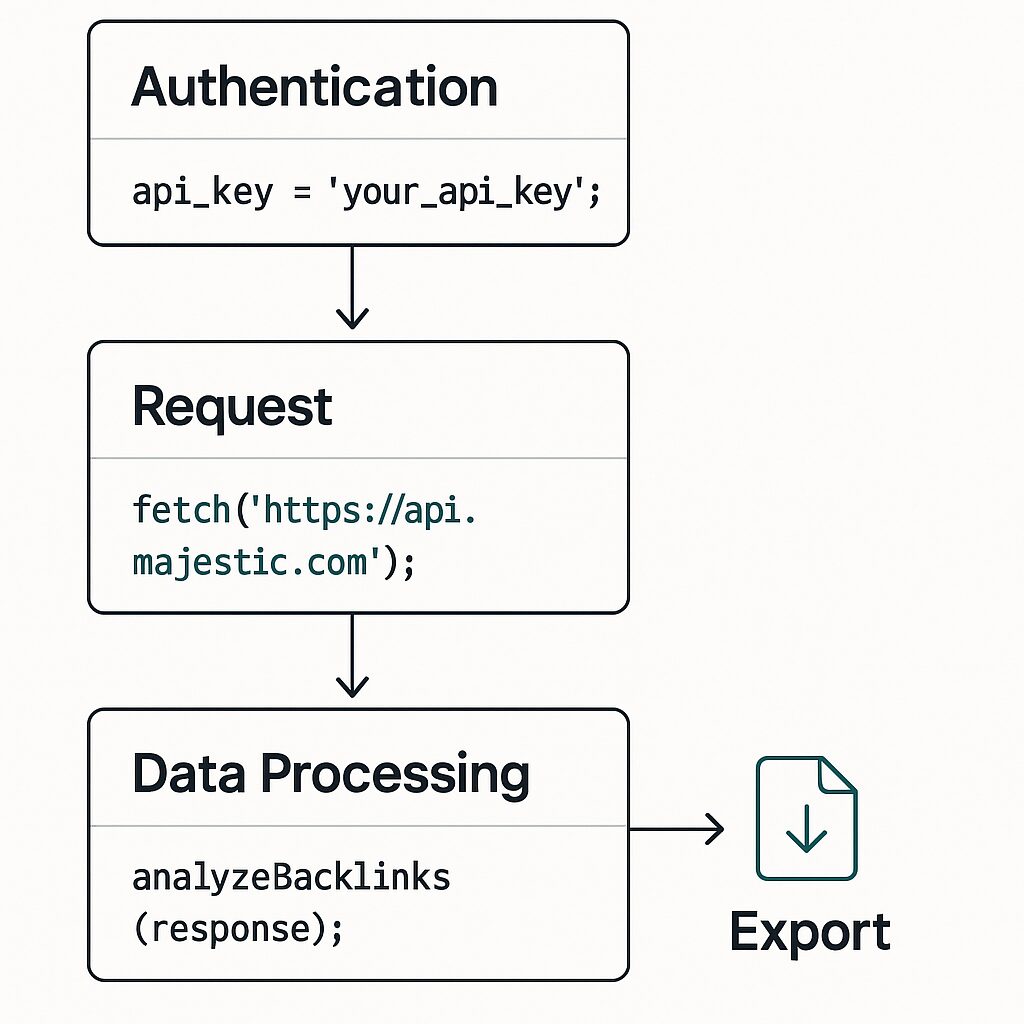
Convert the JSON into a DataFrame to filter, export to CSV, and create charts. You can integrate these scripts into a cron job for daily execution.
import pandas as pd

df = pd.DataFrame(data["DataTables"]["BackLinks"]["Data"])
df_filtered = df[df["TrustFlow"] > 20]
df_filtered.to_csv("backlinks_trusted.csv", index=False)
Best Practices and Recommendations
To ensure the reliability of your analyses, limit the frequency of requests according to your plan. Store responses in an SQL database and keep metrics history. Do not hesitate to cross-reference this data with your favorite Trust Flow tool to verify consistency.
- Schedule requests outside peak hours.
- Test your scripts in a sandbox environment before production.
- Consider a logging system to track errors.
FAQ
How to obtain a Majestic API key?
Sign up on the Majestic dashboard, go to the API section, and copy the displayed value.
What are the main API endpoints?
The most used are: GetBackLinkData, GetIndexItemInfo, GetTopRefDomains, and GetAnchorText.
Can I filter by date in my requests?
Yes, some commands accept a RefreshDate parameter to limit the search to backlinks added or updated after a given date.
How to manage request limits?
Check your quota in the subscribed plan and distribute your calls throughout the day or week to avoid blocks.
Can this script be integrated into a CI/CD workflow?
Absolutely: you can trigger the analysis via a Jenkins, GitLab CI, or GitHub Actions pipeline.
How to efficiently store results?
Export them to CSV, then import into a relational database or data lake to keep metrics history.
Is there an official library?
Majestic offers unofficial SDKs in Python and PHP, but direct access via HTTP remains the most reliable.
