

Twixify offers a detailed analysis of your content to adjust every tag, title, and paragraph, while relying on semantics and contextual intelligence to enhance your visibility. This FAQ details its key features and guides you step by step to achieve concrete results.
Somaire
In brief
🛠️ Twixify thoroughly dissects your page, from the title to the meta tags, and generates dynamic recommendations to maximize the relevance of every word.
📊 An intuitive dashboard displays SEO Performance and Readability indicators, allowing you to visualize at a glance the impact of your adjustments.
🔗 The internal linking module suggests inserting contextual links, for example to strengthen an analysis of the readability of your SEO articles and smooth navigation.
🚀 Targeted recommendations on Trust Flow help develop your authority and credibility with Google.
How does Twixify transform your SEO?
By combining semantic processing and performance data, Twixify provides ongoing support for each page. Its algorithm identifies weak points — underused keywords, missing tags, or insufficiently rich text — and suggests concrete optimizations.
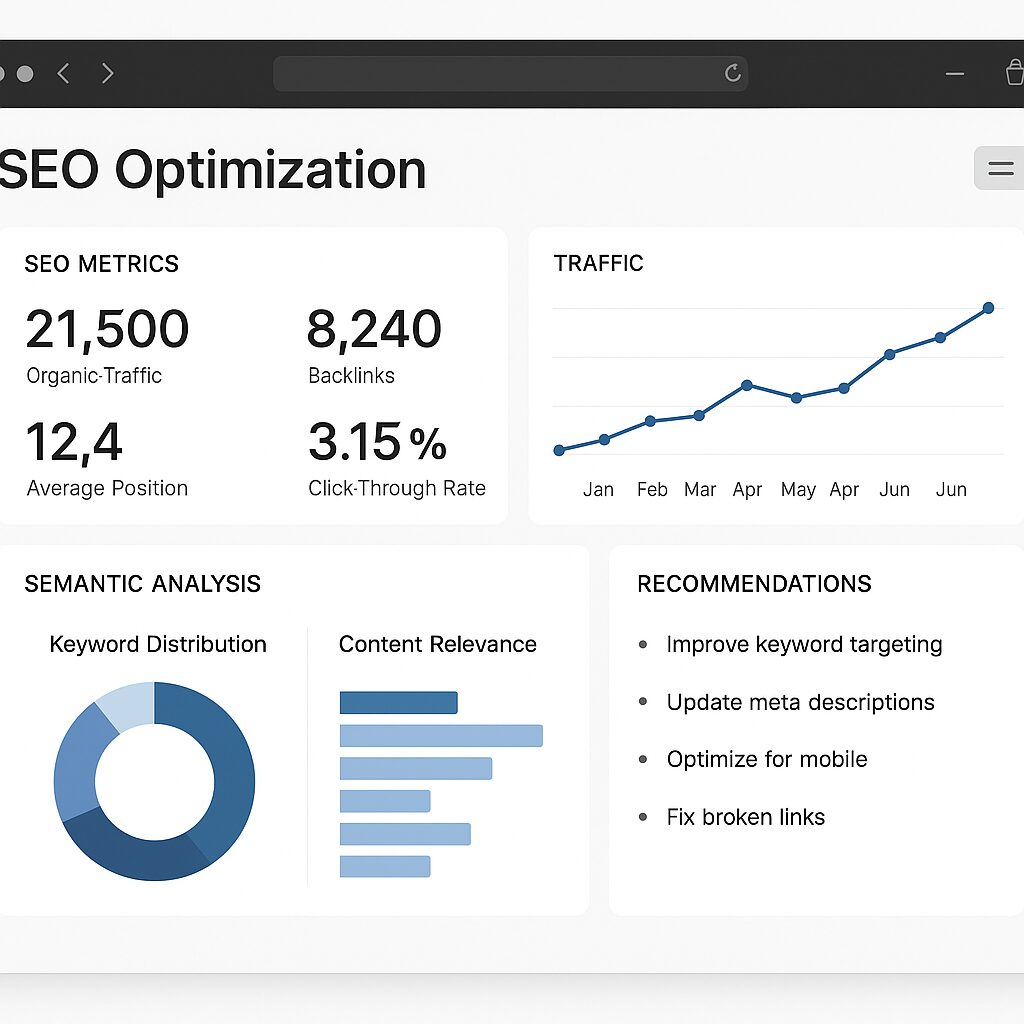
Semantic analysis and optimized tags
Twixify digs into the structure of your content by identifying secondary themes, synonyms, and long-tail expressions. Recommendations include:
- Meta-title: adjustment of character count and placement of the main keyword.
- Meta-description: persuasive wording to improve the click-through rate (CTR).
- Automatic Hn tags: clear hierarchy of subtitles and insertion of relevant words.
These suggestions also rely on signals from the Trust Flow module to improve your authority in Google.
Internal Structure and Linking
Good internal linking promotes the exploration of your site by indexing robots and improves the distribution of SEO juice. Twixify offers:
| Feature | Description | SEO Benefit |
|---|---|---|
| Link Suggestor | Suggestions of contextual anchors to other pages. | Reduction of bounce rate, better navigation. |
| Coherence Analysis | Verification of the relevance of existing links. | Elimination of obsolete or irrelevant links. |
| Visual Mapping | Overview of your internal linking structure. | Quick identification of isolated pages. |
Practical Integration of Twixify
Whether you work on a blog, an e-commerce site, or product documentation, Twixify installs with one click via a WordPress plugin or a dedicated API. Here’s how to make the most of each module:
Keyword Management
After defining your main keyword, Twixify analyzes occurrences in the text, suggests variants, and signals competing pages that use similar expressions. This way, you can distribute your efforts across several terms without diluting overall coherence.
Readability Optimization
The tool measures sentence length, lexical complexity, and transition ratio. Optimal readability promotes time spent on the page and reader engagement. Additionally, you can cross-reference this data with free analysis tools to refine the flow of your paragraphs.
Performance Tracking
A dashboard summarizes key indicators: average position, estimated traffic volume, click-through rate. Every change is tracked in real time, allowing you to immediately validate the impact of your editorial choices.
Challenges and Limits of Twixify
Twixify brings a data-driven dimension to your editorial strategy, but its effectiveness depends on the initial quality of your content. A text that is too superficial will first require manual semantic enrichment. Moreover, the tool does not replace a global editorial reflection: it guides you but does not write for you.
Finally, some highly specialized sectors may require manual adjustments after automatic recommendations, especially to comply with regulatory or terminological constraints.
FAQ: Content Optimization with Twixify
1. What is Twixify and how does it work?
Twixify is an SEO tool that analyzes your page, suggests optimizations for tags, structure, and content, and provides real-time performance tracking to improve your ranking on Google.
2. Can Twixify be used without a WordPress plugin?
Yes, via a REST API that integrates with any CMS or web environment. You can send your content and retrieve recommendations in JSON format.
3. Are Twixify’s recommendations suitable for online stores?
Absolutely. Twixify detects product pages and proposes adjustments to titles, descriptions, alt tags for images, and internal link suggestions to boost conversion.
4. Does Twixify handle multilingual content?
Yes, the module relies on language models trained in multiple languages. You just need to specify the target language to get adapted recommendations.
5. How does Twixify impact my Trust Flow?
By optimizing your internal linking and site structure, Twixify helps strengthen the authority of your pages, resulting in a more stable and often increased Trust Flow.
6. Is there a free trial period?
Twixify offers a 14-day trial version allowing you to explore all features without commitment.
7. What are the technical prerequisites for installing Twixify?
For the WordPress plugin, PHP 7.4+, cURL enabled, and administrator access are sufficient. For the API, a simple authentication token and an HTTPS connection are required.
8. How does Twixify encourage continuous improvement?
Each optimization is followed by an overall and detailed score. You can compare successive versions of your page to measure the ROI of the changes.
