

Keyword Surfer is a free Chrome extension that directly injects search volumes and keyword suggestions into your Google results page. With just a few clicks, you get precise data to guide your low-cost SEO strategy and refine your content in real time.
Somaire
Introduction to Keyword Surfer
Keyword Surfer installs like any other Chrome extension, but its real value lies in the instant display of search volumes and keyword density on each result. Rather than a subscription platform, it is a tool that seamlessly integrates into your usual browsing.
Main features
- Search volume: estimated figures directly under each link.
- Associated suggestions: list of related keywords and their popularity.
- Domain comparison: estimation of competitors’ visibility.
- CSV export: download your keywords for external processing.
Why adopt it?
If you have already explored a comparison of SEO tools, you know that a full subscription can quickly add up. With Keyword Surfer, you benefit from an immediate data source, ideal for starting without incurring costs.
Installation and configuration
Installation takes only a few seconds. Open the Chrome Web Store, search for “Keyword Surfer” and click “Add to Chrome”. A new graph-shaped icon will appear near the address bar.
Initial settings
- Activate the extension as soon as Chrome restarts.
- Open the options to set your language and search currency.
- Customize the keyword density to display and choose to enable CSV export.
Check proper functioning
Launch a Google search, for example “SEO tutorial”. You should see, under each result, a number indicating the monthly search volume and, on the right side, a list of associated keywords.
Case study: field keyword research
To illustrate, suppose you manage a culinary blog. You type “chocolate cake recipe” and observe:
| Keyword | Monthly volume | Competition (approx.) |
|---|---|---|
| chocolate cake | 12,000 | high |
| easy cake recipe | 8,500 | medium |
| cake decoration idea | 3,200 | low |
In a few seconds, you identify varied targets: generic phrases to attract a lot of traffic and niche queries for faster positioning.
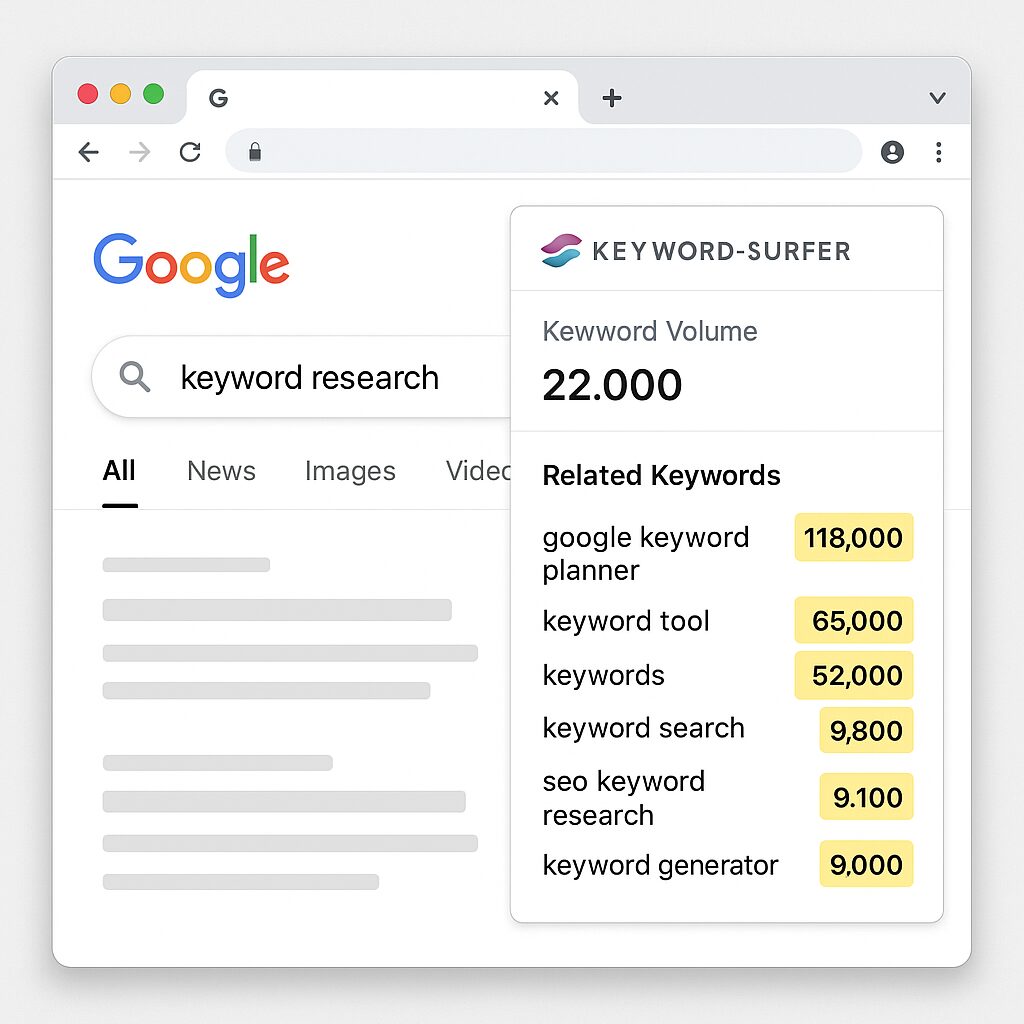
Leveraging Related Suggestions
To the right of the results, Keyword Surfer lists common queries and their popularity. You can:
- Identify ideas for complementary articles.
- Structure your H2 and H3 tags according to long-tail keywords.
- Create internal FAQs to cover frequently asked questions.
This display proves very useful if you already use free readability analysis tools: you adapt your content to the exact expectations of the audience.
Best Practices for Effective SEO
Keyword Surfer is not a complete substitute for an SEO strategy, but an accelerator. To go further:
- Vary your internal and external anchors for natural linking.
- Combine the data with a technical audit to optimize loading speed.
- Regularly analyze your Trust Flow and authority score.
- Adapt your content to search engine recommendations on quality and readability.
Key Takeaways
- Quick installation via the Chrome Web Store.
- Data integrated directly into the SERP.
- Long-tail suggestions to diversify your content.
- Export keywords for personalized tracking.
- Ideal as a complement to SEO tips and analysis tools.
FAQ
1. Is Keyword Surfer really free?
Yes. All basic features, including volumes and suggestions, are accessible for free.
2. How do I export my keywords?
In the extension options, enable CSV mode then click the icon to download your list.
3. Is the data reliable?
Volumes remain estimates but are sufficient for quick guidance. For maximum accuracy, supplement with a second paid source.
4. Can multiple markets be tracked?
Yes, you can change the language and currency to analyze different countries and geographic areas.
5. What is the limit for keyword research?
Theoretically none, but the extension focuses on volumes above 100 monthly searches.
6. How to combine with technical audits?
Export your keywords to integrate them into a global audit, cross-referencing with page speed and HTML tags.
7. Should other SEO extensions be installed in parallel?
Keyword Surfer works very well alone, but it can be complemented by backlink display or tag optimization extensions.
