

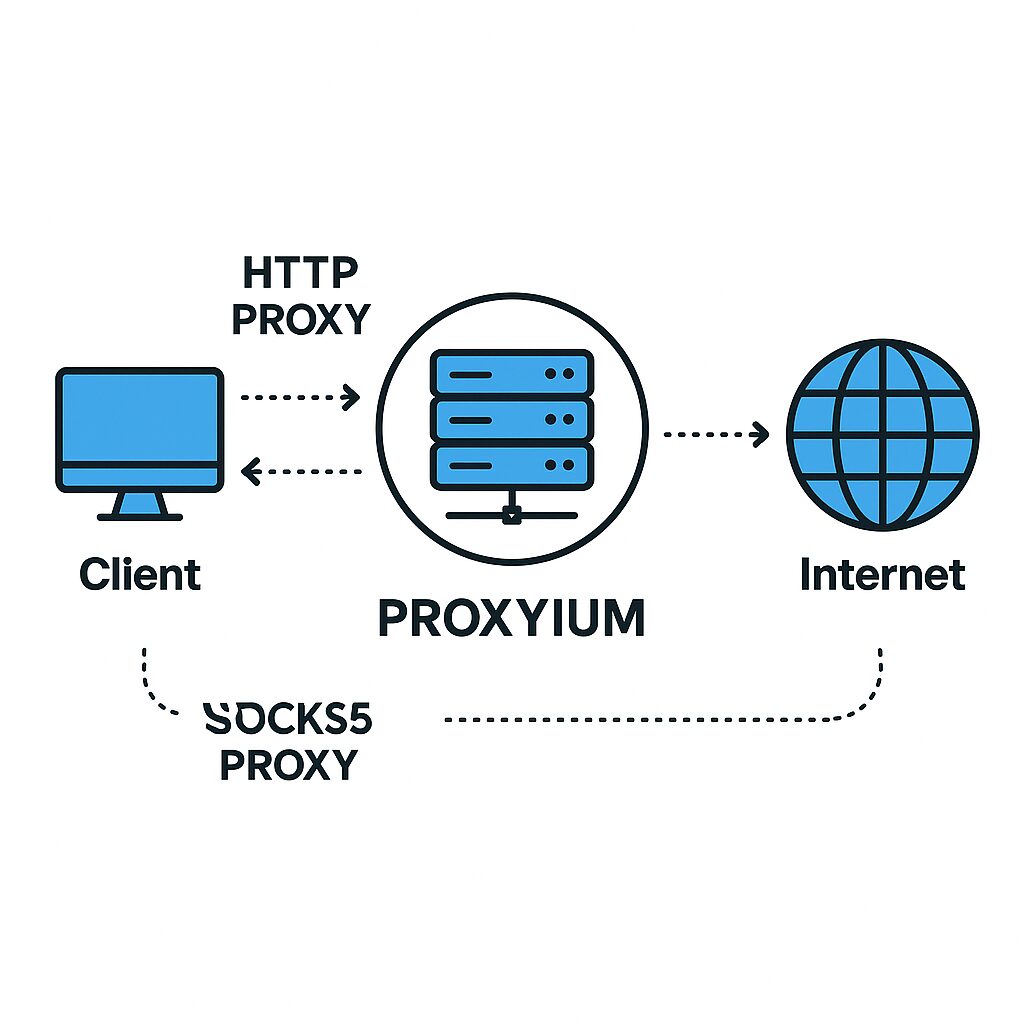
HTTP and SOCKS5 are two commonly used proxy protocols for routing network traffic. The HTTP proxy operates at the application level to filter and cache web requests, while SOCKS5, thanks to RFC 1928, offers a lower-level layer without packet rewriting. Proxyium simplifies their deployment by providing ready-to-use configurations for each protocol.
🔹 HTTP filters web requests, caches content, and manages authentication via headers.
🚀 SOCKS5 is more versatile: it supports both TCP and UDP without altering the content.
⚙️ Proxyium integrates both modes, with routing, rotation, and monitoring tools.
🔒 Performance and security depend on usage: HTTP for classic web, SOCKS5 for streaming, P2P, or application tunneling.
Somaire
Understanding HTTP and SOCKS5 Proxies
Before any configuration, it is essential to understand their operating modes and preferred uses.
How HTTP Proxy Works
The HTTP proxy acts as an intermediary for HTTP/HTTPS requests. It receives a URL, forwards it to the target server, then returns the response to the client. This process allows:
- Caching of static resources (images, scripts), reducing bandwidth.
- Content filtering via rules based on headers or URLs.
- Authentication management through custom headers (Basic, Digest, NTLM).
- SSL/TLS inspection for analyzing encrypted traffic (depending on implementation).
According to RFC 7230, an HTTP proxy can also rewrite “Host” or “User-Agent” headers, useful for simulating different browsers or domains.
How SOCKS5 Proxy Works
SOCKS5, defined by RFC 1928, operates at the transport layer. It encapsulates TCP or UDP packets without interpreting their content. Its strengths are:
- Support for TCP and UDP, suitable for streaming, VoIP, and P2P.
- No packet modification: the client application decides the protocol (HTTP, FTP, SMTP…).
- Lightweight authentication (username/password) or no auth depending on the server.
- “BIND” function to establish incoming connections, useful for certain services.
Quote: « SOCKS5 provides a generic transport-level gateway, ideal for non-HTTP applications. » – IETF Working Group
Compared Advantages and Disadvantages
A summary table allows you to quickly identify the solution suited to each use case.
| Criterion | HTTP | SOCKS5 |
|---|---|---|
| Supported protocols | HTTP/HTTPS | TCP and UDP (all) |
| Caching | Yes | No |
| Content filtering | By headers | “Pass through” principle |
| Complexity | Simpler | More flexible, more technical |
| Performance | Optimizes HTTP | Less latency for UDP |
HTTP remains king for classic web access, thanks to its caching and detailed logging features. Conversely, SOCKS5 is preferred as soon as an application requires a raw channel or a non-HTTP protocol.
Configuring HTTP and SOCKS5 with Proxyium
Proxyium offers a simple interface to deploy your proxies in a few commands. The process varies slightly depending on the chosen protocol.
Step 1: Install the Proxyium client
- Download the binary from your Proxyium dashboard.
- Unzip and place it in a folder of your choice (e.g.
/usr/local/bin). - Make the file executable:
chmod +x proxyium.
Verify the installation with proxyium --version which should display the current version.
Step 2: Configure an HTTP proxy
Create a config-http.yml file:
mode: http
listen:
  address: 0.0.0.0
  port: 8080
auth:
  type: basic
  users:
    - username: user1
      password: pass123
logging:
level: info- Run it with
proxyium start -c config-http.yml. - Configure your browser or web tool to use
http://IP_PROXY:8080. - Check the logs in
~/.proxyium/logs/http.log.
Step 3: Configure a SOCKS5 proxy
Create a config-socks5.yml file:
mode: socks5
listen:
  address: 0.0.0.0
  port: 1080
auth:
  type: userpass
  users:
    - username: user2
      password: pass456
udp: true
logging:
level: debug- Start it via
proxyium start -c config-socks5.yml. - Point your P2P client or advanced browser to:
socks5://IP_PROXY:1080. - Enable UDP for real-time connections (streaming, online gaming).
Usage Scenarios and Best Practices
Depending on your context, adjust the settings:
- Advanced web scraping: combine HTTP with rotating proxy configuration to automatically change IPs.
- Online gaming and streaming: favor SOCKS5 with UDP enabled to reduce latency.
- Secure intranet access: use HTTP with SSL interception to inspect encrypted traffic.
Also protect your credentials using a vault or a KMS key rather than storing your passwords in plain text.
Key Takeaways
- HTTP optimizes and controls web traffic; SOCKS5 transports all types of streams.
- Proxyium standardizes deployment via YAML files and a universal client.
- HTTP caching reduces server load; SOCKS5 UDP accelerates streaming.
- Remember proxy rotation and secure storage of credentials.
FAQ
- 1. Which protocol should I choose for simple web surfing?
- The HTTP proxy, thanks to its caching and header filtering, is best suited for regular browsing.
- 2. Can I use SOCKS5 for web scraping?
- Yes, SOCKS5 supports all protocols, but it does not cache. Combine it with IP rotation to limit blocks.
- 3. How do I secure my Proxyium credentials?
- Store them in a digital vault (Vault, KMS) or use OAuth authentication if available.
- 4. Is UDP via SOCKS5 safe?
- Yes, the UDP channel is encapsulated in the same way as TCP, but it does not offer built-in retransmission mechanisms.
- 5. What is the difference between a forward proxy and a reverse proxy?
- A forward proxy handles outgoing client requests; a reverse proxy receives server-side requests to distribute load or hide infrastructure.
